ONECRM+ / CUSTOMER FORMS

Collect the details.
Keep the next step connected.

Create customer forms, preview them and share a form-only public link. Choose which staff can view submissions and what happens after a response arrives.

  • Public links without a customer staff login
  • Typed fields, conditional questions and file uploads
  • Staff-controlled submissions and supported CRM actions
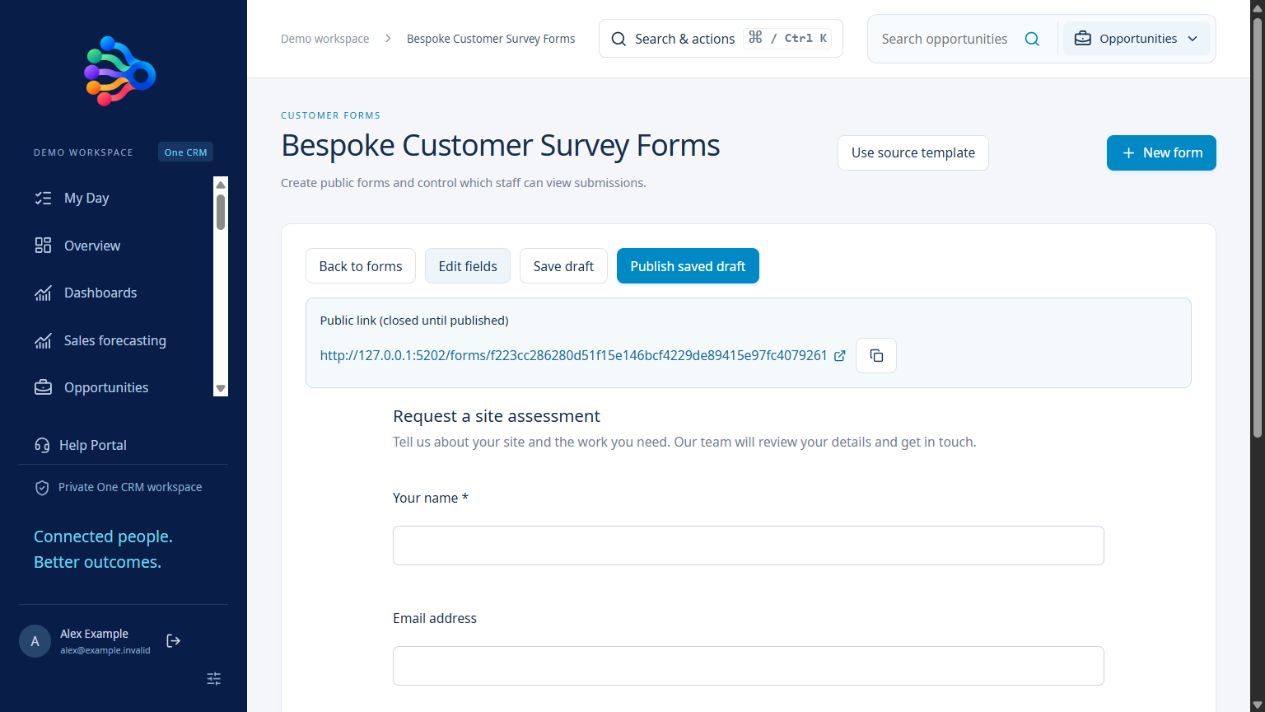
OneCRM+ / Customer form previewEXAMPLE WORKSPACE
OneCRM+ form preview for a site assessment with name, email and company fields
Working application · fictional example dataView full size ↗
01

Build a form that asks for the right information

Choose field types for the information you need, such as text, email, dates, choices, files and longer answers. Set required fields and conditional visibility, then preview the form before publishing its customer link.

02

Control staff access

The form owner and administrators retain access. Select the additional staff who may view submissions. Customers use a public form-only link, while staff manage responses within the CRM.

03

Connect a response to a record

Collect submissions for review or configure a supported lead or case creation action with field mappings. Review workflow results rather than assuming every submission created a record. Formal certificate-based signing and payments require a separately connected provider.

A PRACTICAL STARTING POINT

From setup to daily use.

01 / BUILD

Choose the questions.

Configure typed fields, requirements and conditions.

02 / PREVIEW

Check the customer view.

Review the form-only experience and staff access.

03 / PUBLISH

Share the link.

Collect responses and inspect any configured record actions.

Questions about customer forms.

Do customers need to sign into the CRM?

No. Published forms have a public form-only link. That link does not grant staff access or access to CRM records.

Can I control who reads responses?

Yes. Form owners and administrators have access, and selected staff can be granted submission viewing rights.

Is a typed signature the same as formal document signing?

No. Typed acknowledgements preserve the submitted details. Certificate-based signing requires a connected signing provider.

THE WHOLE SUITE. FROM DAY ONE.

Your ambition.
All the tools to match.

$50 AUD per user, per month, excluding GST. Every feature included.
Start with a 30-day free trial. No card required.

Start your free trial →