Keep each item practical
Build a view of the work using configured columns and groups. Edit text, choose a status or assign a person directly in the row. Search and field filters help the team focus on the items they need.
Use boards to organise jobs, production steps and team responsibilities. Keep the owner, status, dates and supporting files beside each item.
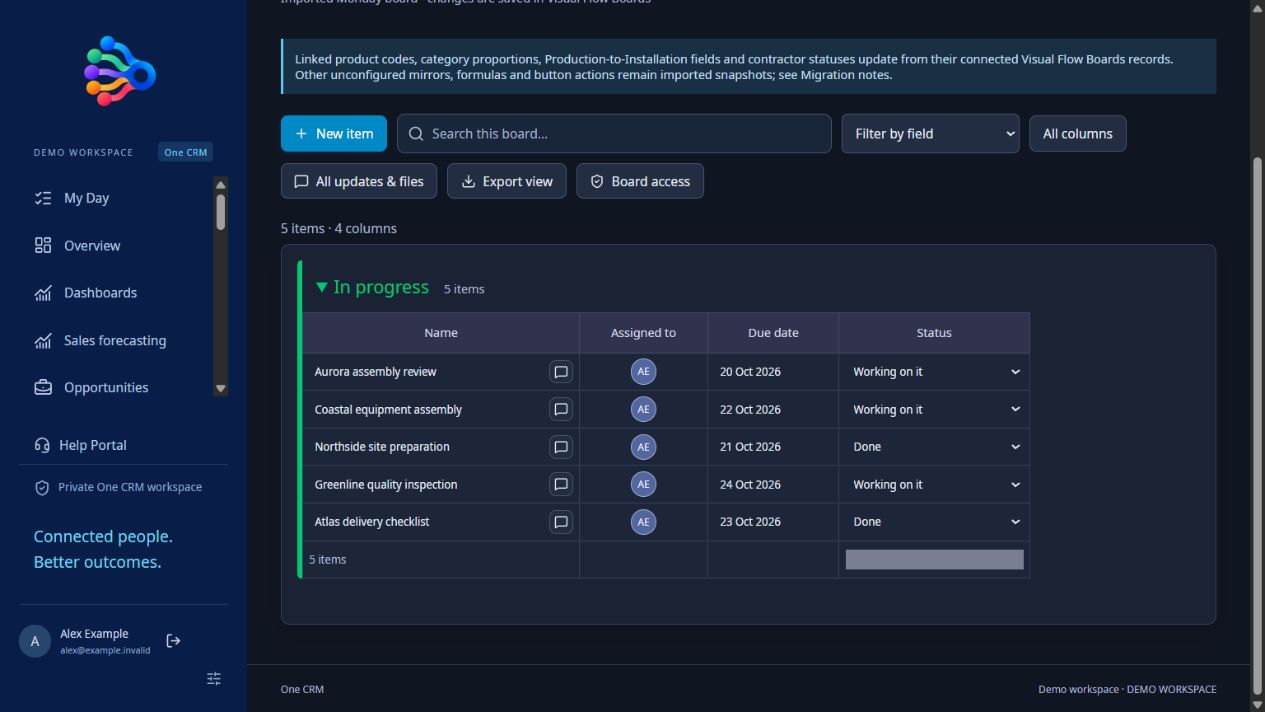
Build a view of the work using configured columns and groups. Edit text, choose a status or assign a person directly in the row. Search and field filters help the team focus on the items they need.
Keep uploaded files in their correct columns and open supported formats in the in-app viewer. Connected records and configured mirrors can show related information, while updates keep the item’s conversation in context.
Administrators configure board flows for supported item events, conditions and actions. Board access can be assigned by role, including users whose menu contains only their permitted boards. Email notifications depend on a connected mailbox and approved workflow.
Represent the stages and information the team needs.
Choose people, dates and statuses directly in the rows.
Keep supporting material and workflow history with the item.
Yes. A boards-only role can be given access to selected boards without exposing the rest of the CRM menu. Server-side permissions still control access.
Yes. Supported board cells use individual text, dropdown, date, people and linked-item controls.
No. Configured supported relations and workflows run in the app. Unconfigured imported formulas or mirrors may remain snapshots and need review during migration.
Screenshots, practical examples and setup details for the tools in your subscription.
Bring assigned tasks, customer follow-ups, events and board work into My Day. Use quick actions, live search suggestions and record previews in OneCRM+.
View the featureBuild CRM reports with filters, summaries and charts. Create dashboards, pin three reports above records and use guided report templates in OneCRM+.
View the featureBuild CRM workflows with a drag and drop canvas, decisions, email actions, tasks, related records and timezone-aware schedules in OneCRM+.
View the featureOrganise work in editable boards with status fields, people assignments, due dates, linked records, files and configurable workflow automation.
View the featureBuild public customer forms with typed fields, conditional questions, file uploads, staff submission permissions and supported CRM record actions.
View the featureCreate custom CRM objects, adopt fields, add relationships, configure layouts and grant role permissions. Use published objects in reports and dashboards.
View the featureConnect products, purchasing, stock movements, backorders, returns and manufacturing orders with customer records in the OneCRM+ business suite.
View the feature$50 AUD per user, per month, excluding GST. Every feature included.
Start with a 30-day free trial. No card required.